C#
How to use other developers work in own project - NuGet Package Manager
NuGet is a package manager for .NET developers widening horizons and makes our job easier. This great tool is giving ability to simply consume libraries made by other developers and use them in our own projects.
What is NuGet?
NuGet is a package manager for .NET developers widening horizons and makes our job easier. This great tool is giving ability to simply consume libraries made by other developers and use them in our own projects.
How to use NuGet?
NuGet is default package manager pre-installed in Visual Studio. We can easily browse through thousands of libraries using web browser or built-in tool.In Visual Studio:
- Create new project
- Go to Tools > Package Manager > Manage NuGet Packages for Solution
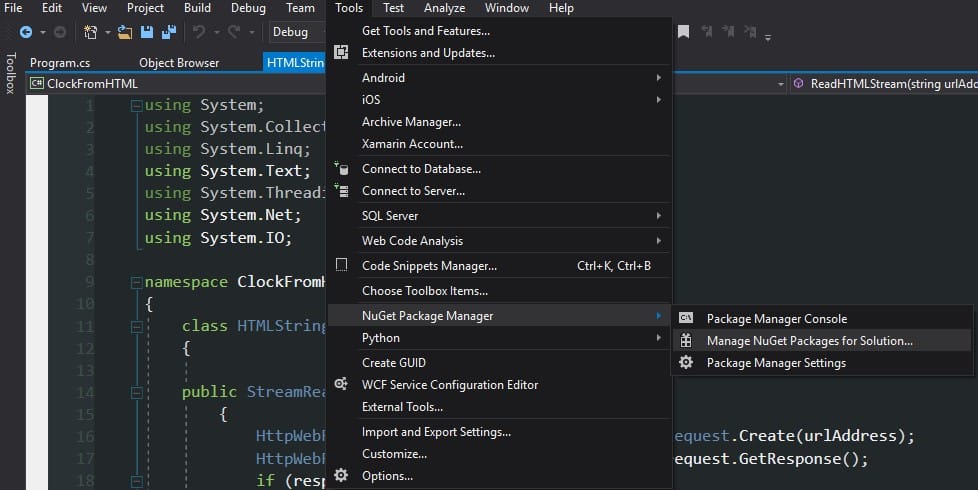
The NuGet Package manager should appear as new card in our solution
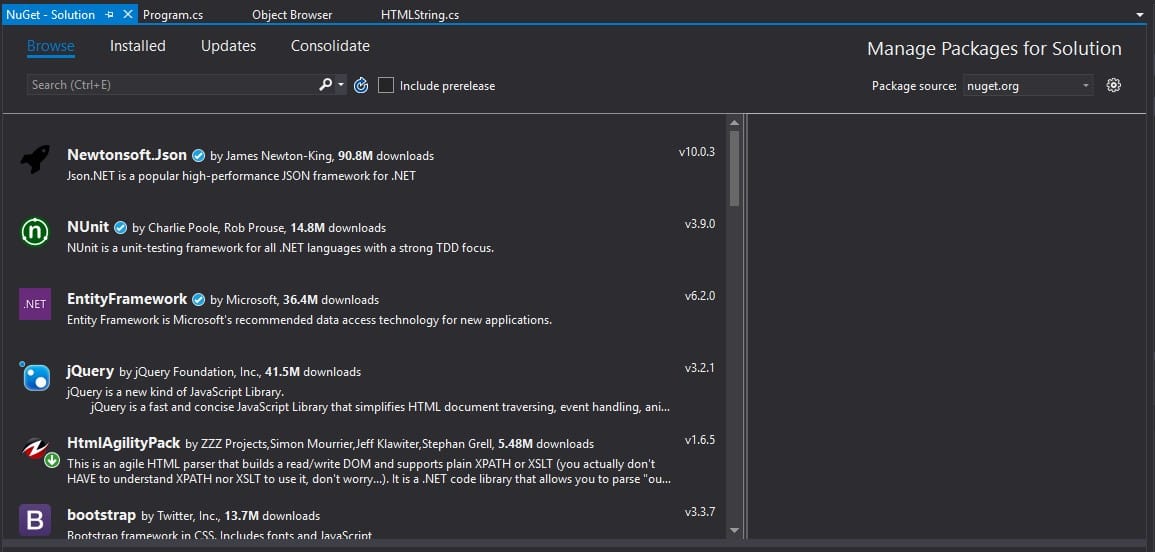
Now, we are able to discover libraries which were made by other developers. We can also inject them to our own project what will save us big amount of time. Today, I would like to show an example of using Html Agility Pack to present, how we can use custom libraries. To install library, we just have to click on its name, select project in which library has to be installed and click "Install". We can check if our library was installed correctly by simply clicking "Installed" card.
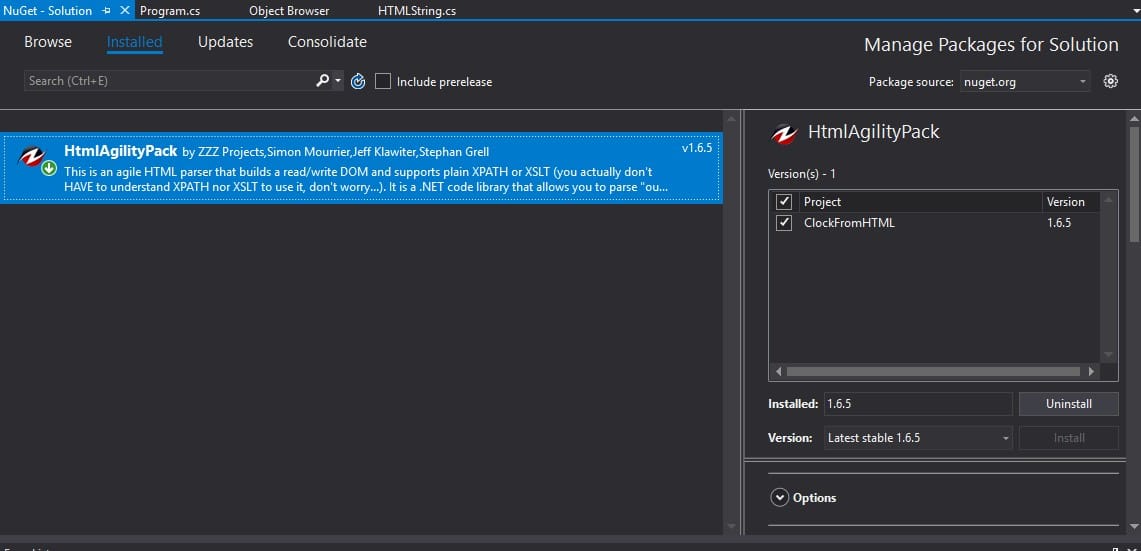
How to use library installed using NuGet?
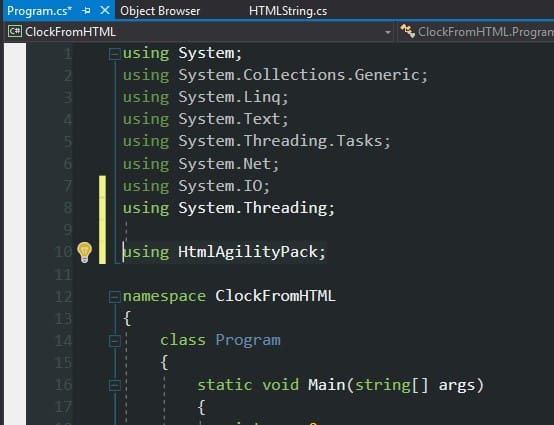
To use library in our solution, we just simply has to add library to list of libraries at the beginning of program:
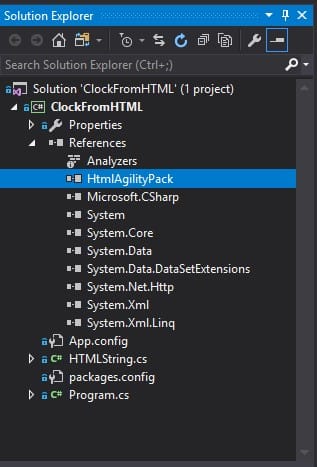
In Solution Explorer window (on the right side) we have to open References and find name of our library:
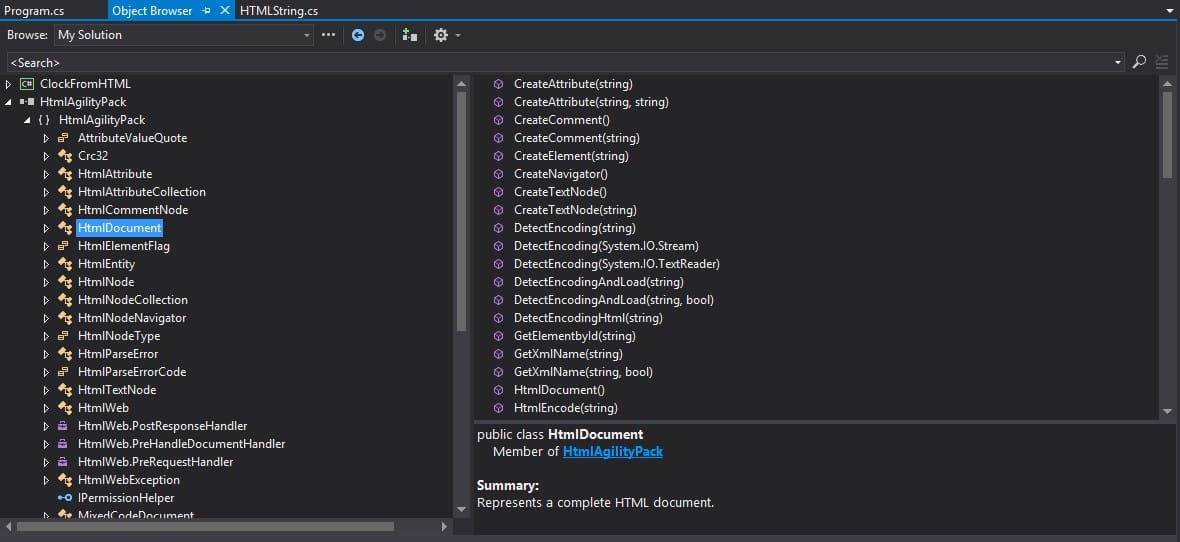
After double-clicking on library name, we will be able to discover all functionality provided by this library.
We also have to remember to add "using LibraryName;" as below:
Summary
In my opinion, NuGet is a basic tool which has to be known by every .NET developer. The work is way easier if we don’t have to do work which was already made by someone else. For further reading visit: https://docs.microsoft.com/en-us/nuget/what-is-nuget If you have any questions, don’t hesitate to contact me.